Preferences
Press Ctrl+, to make GitCat fit the way you work.
General
Choose the default pull strategy, auto-fetch interval, history page size, and diff context lines. Auto-fetch defaults to one minute; set it to 0 to disable it. The maximum interval is 60 minutes.
Fetch updates remote information without merging it into your files. Background fetch failures stay quiet; try a manual fetch if remote information looks stale.
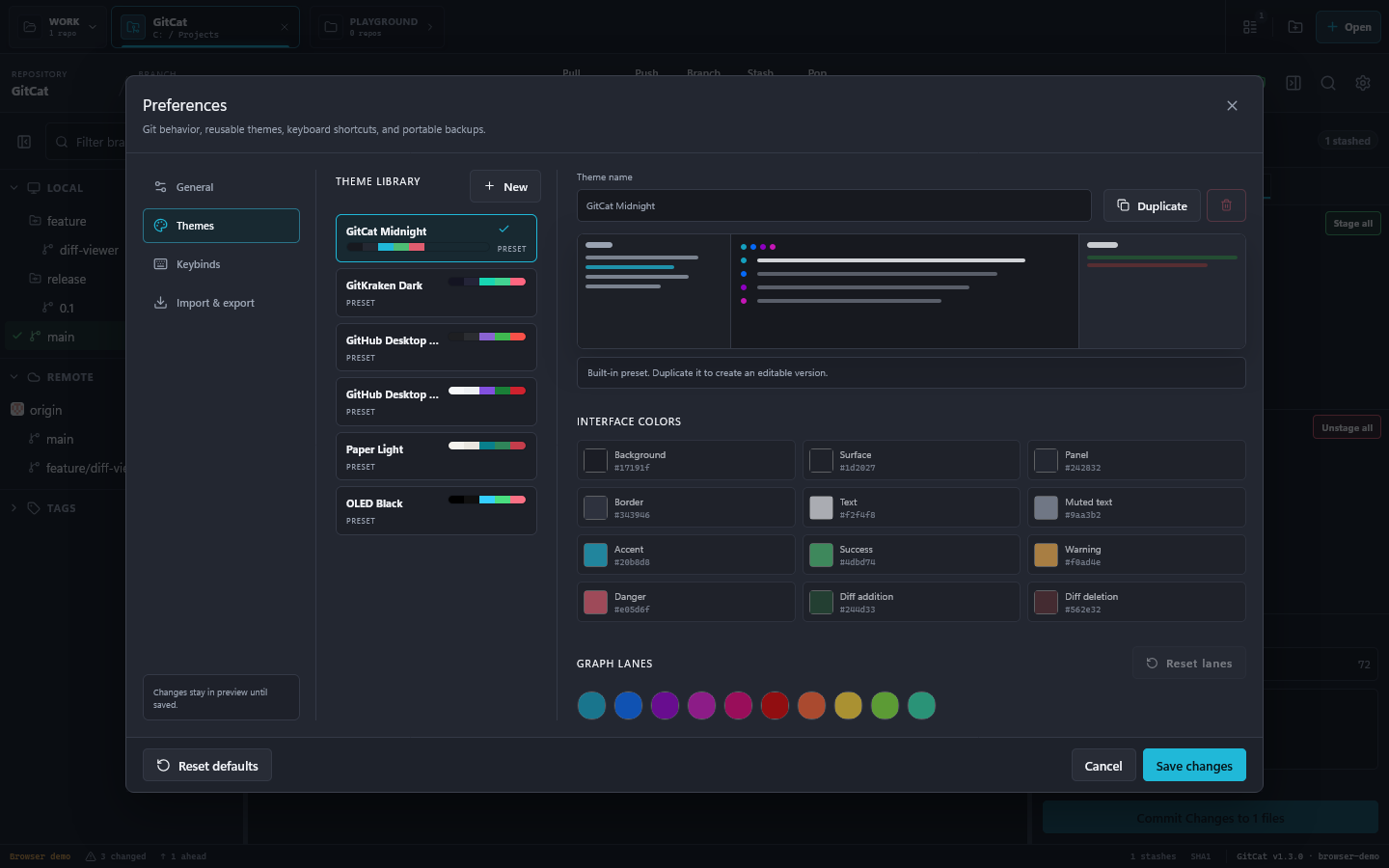
Themes
Choose a built-in preset or adjust individual interface, diff, syntax, and graph colors. Preview changes across the application and save when satisfied. Colors can be reset individually.
Layout and shortcuts
Drag panel dividers to resize. Ctrl+J toggles the branch sidebar and Ctrl+K toggles the right panel. GitCat remembers your panel layout, repository tabs, and window state.
Under Keybinds, replace, clear, or reset command shortcuts. Avoid assigning the same combination to several commands. The shortcut guide lists the defaults.
Import & export
Export settings to back up preferences, themes, graph choices, and keybinds. Import a saved settings file to restore them. Review imported settings before applying them. This backs up application preferences, not repository files or commit history.
Hosting accounts have their own Integrations section.