Changes & commits
A commit saves a selected set of changes to your local history. Pushing shares those commits with a remote.
Make a commit
- Edit files in your usual editor, then return to GitCat. Changes refresh automatically; F5 forces a refresh.
- Select WIP in the graph, or press Ctrl+Shift+W.
- Select an unstaged file to review its diff.
- Stage the files you want in this commit. Stage all includes every current change; Unstage takes a file back out without deleting your edits.
- Enter a short Summary, with an optional Description for context.
- Select the commit button, or press Ctrl+Enter from the working-tree panel.
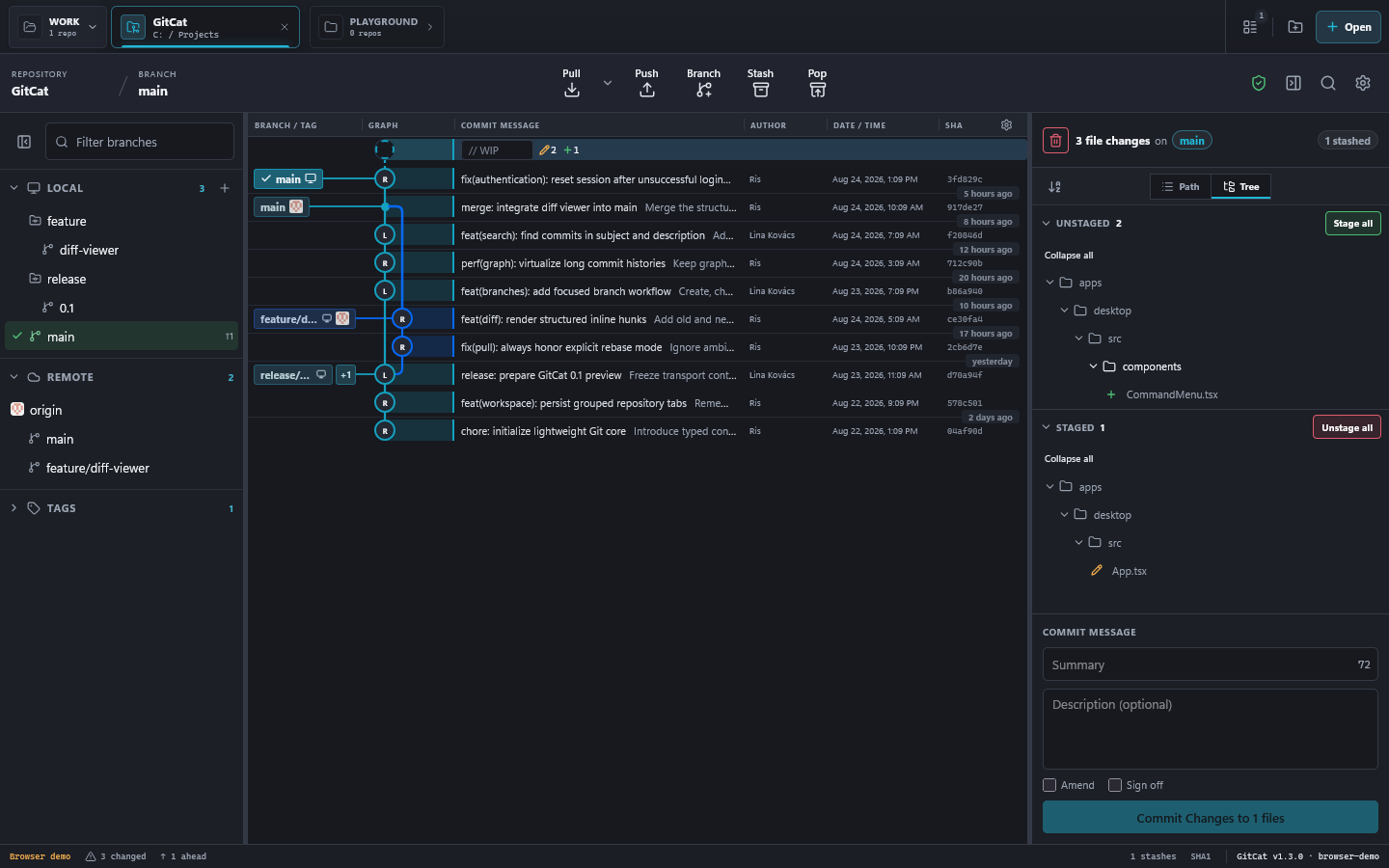
After success, the new commit appears in the graph. Unstaged edits remain in your working tree. The summary counter helps you aim for a readable 72-character subject.
File actions
Right-click a changed file to stage or unstage it, copy its path, save a patch, stash that file, or add an ignore rule for the file, extension, or folder. Path and Tree switch the file-list layout.
Discarding a file or all changes removes the affected uncommitted content. Review the confirmation carefully. If you may need the edits later, commit them, save a patch, or stash them first.
Amend and sign off
Amend updates the most recent commit instead of creating another one. This rewrites its identity, so use it carefully if that commit is already shared. Sign off adds a Signed-off-by trailer; it is different from a cryptographic Git signature.
Set changes aside
Use Stash to store tracked and untracked work temporarily. Pop restores the latest stash and removes it if successful. Restoring can produce conflicts; resolve them before continuing.