Meet GitCat
Your repositories, branches, and changes in one clear workspace.
GitCat is a desktop Git client. It puts a visual commit graph beside your branches and working files, so you can see what changed before deciding what to commit or share. It uses your system Git, including its configuration, hooks, signing, and existing credential setup.
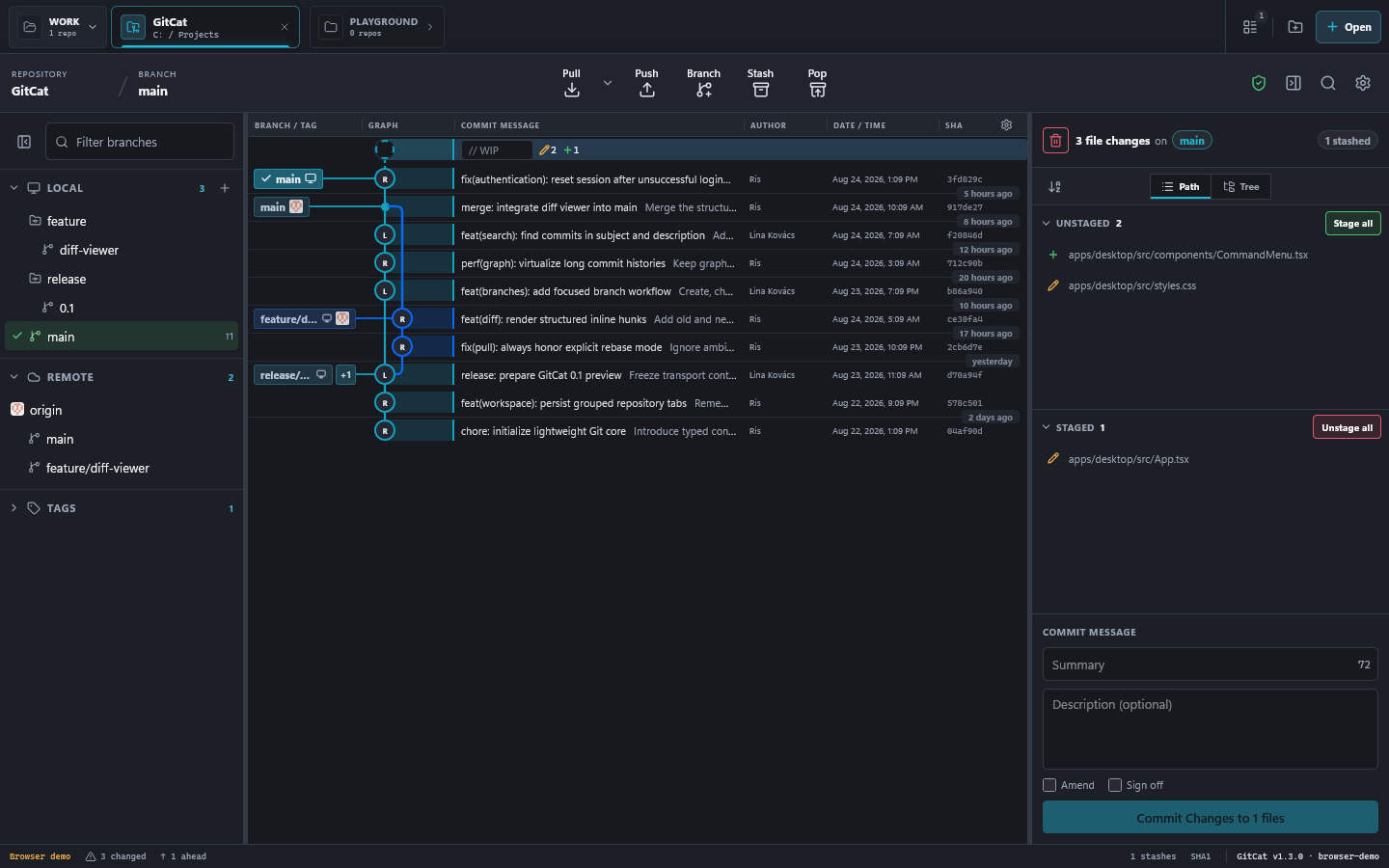
Find your way around
- Top tabs: switch between repositories and organize them into groups.
- Left sidebar: browse local branches, remote branches, and tags.
- Center graph: follow commit history. Select WIP to return to uncommitted changes.
- Right panel: inspect a commit or stage files and write your next commit.
- Toolbar: pull, push, create a branch, stash changes, or restore the latest stash.
Panels resize, hide, and remember their layout. Repository state refreshes when files or Git metadata change outside the application.
Your first useful workflow
Ready for more? Explore diff views, conflict resolution, GitHub integration, and keyboard shortcuts.